
Field-kit: Open source tools for faster geospatial data prep

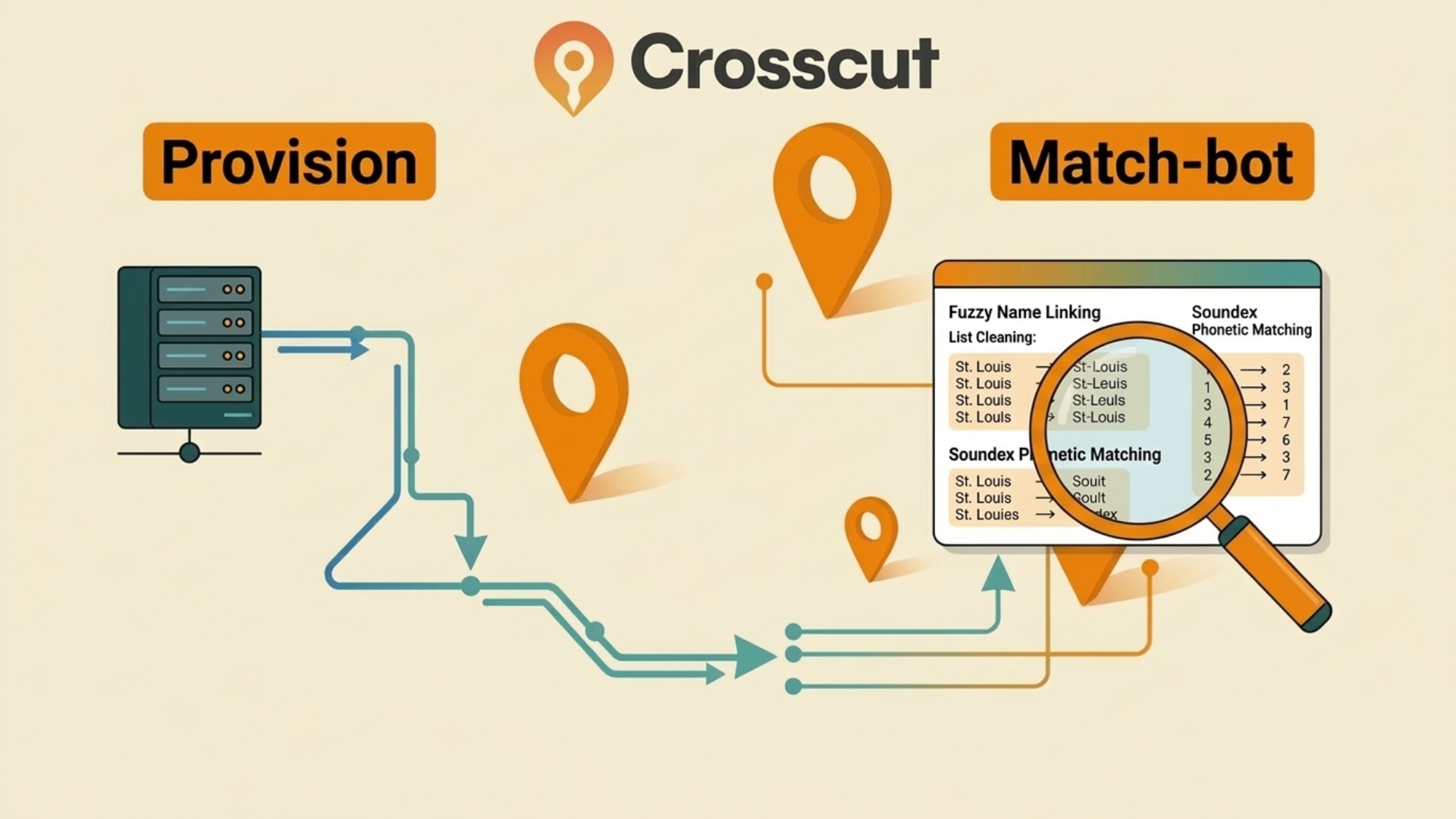
Most geospatial analysis projects in global health face the same two challenges at the start. First, you need to gather data like administrative boundaries or population rasters from a lot of different places before you can do anything useful. Second, you’ll usually discover that two sources describing the same geography rarely agree on how to name things.
These problems don't get much attention, but they eat up a good chunk of time on every project. We've run into both enough times that we decided to build tools to deal with them. We recently cleaned those up and published them as a field-kit, a small open source repository on our GitHub.
This article covers what each tool does, why we built them, and who can use them.
Gathering country data before you need it
When you start a new country analysis, you typically need several a bunch of foundational pieces of data in place before you can get anywhere:
- Administrative boundaries
- Population rasters
- Road networks
- Building footprints
Those come from many different sources, each with its own format and download method. If you're heading into the field with poor internet, you want all of it on your machine before you go. Even from the office, manually pulling everything together can eat up valuable time.
Provision: Automating the heavy setup
The Provision tool automates that process. You give it a country code and an admin level, and it goes out and downloads everything into a folder. That’s admin boundaries from geoBoundaries, population rasters from WorldPop, and a handful of other standard sources.
We built it by taking the internal process we use whenever we load a new country into the Crosscut app and making it available as a standalone tool. It's not connected to what's currently in the app, so it works for any country in the world.
Provision works by typing a short command into your terminal. You tell it the country and admin level you need and it handles the rest. It's a developer tool, but more approachable than it sounds. The README walks through everything you need to get started.
Match-bot: Reconciling place names
Once you have your data, analysts will almost always hit the same second problem. You have a spreadsheet of admin units and a GIS shapefile that are supposed to describe the same places, but the names don't match. For a case or two you can manage, but with thousands of data points it ends up turning into its own job.
One source might name a facility “CS Gaspard Kamara,” while another names the same facility “Centre de Santé Gaspard Kamara.” These are the same place, the people who recorded the data just followed slightly different naming conventions. Merging those two data sets on a simple name match alone will fail. You usually get more mismatches as you drill down to lower admin levels, where there’s a lot of variation in how anything is spelled (or what it's called).
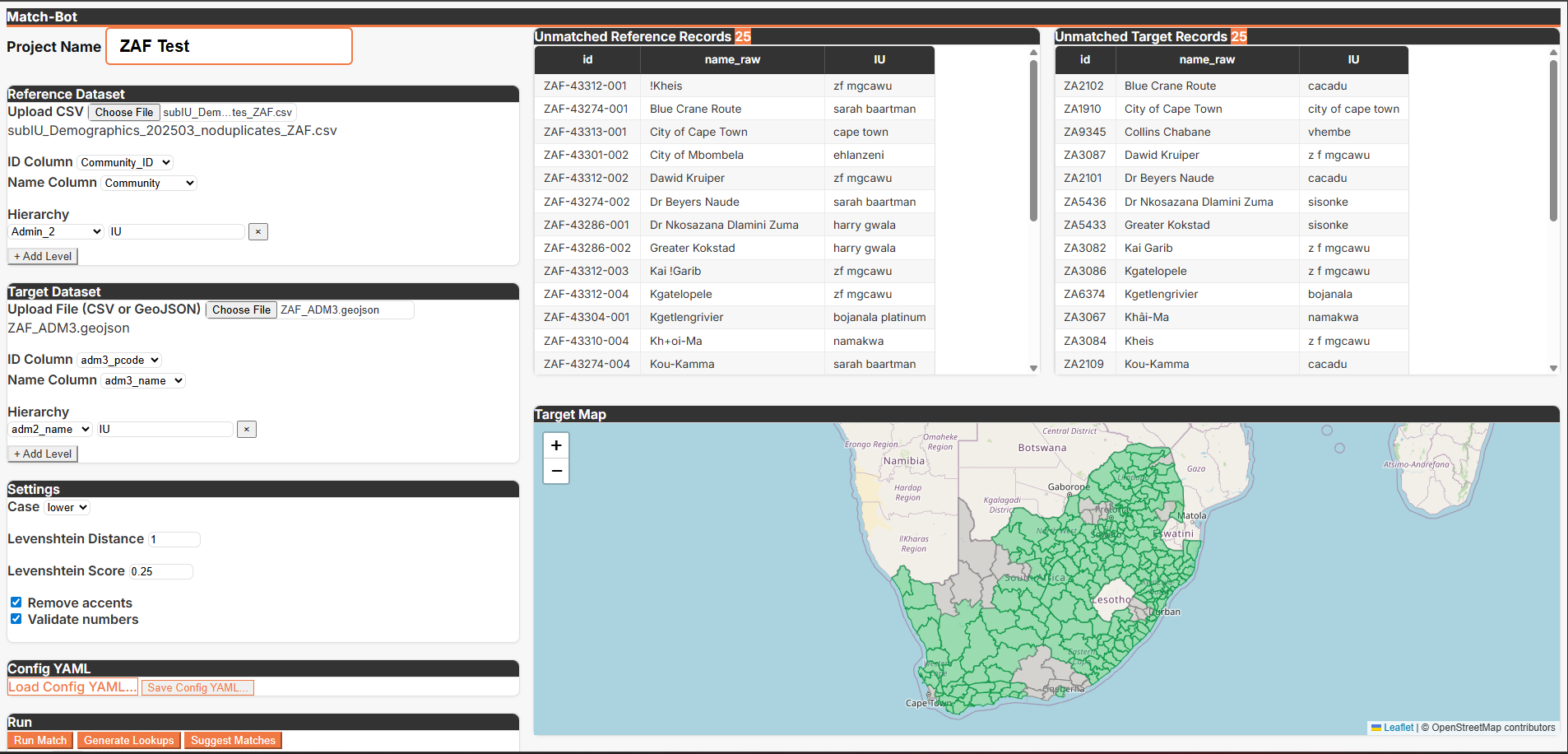
Match-bot handles this part with fuzzy matching. Rather than requiring an exact name match, it finds pairs that are close enough to be the same place, based on how many character-level edits separate the two strings. Match-bot packages those techniques into a complete set of Python scripts and configuration files you can set up once and reuse across projects.
How the matching process works
Match-bot uses a list of place names and a GIS shapefile. It runs the matching in multiple passes, starting with exact matches and locking those in first. It then relaxes the requirement and looks for close matches using Levenshtein distance, which is just a measure of how many character-level changes separate two strings.
Matching also always starts at the highest administrative level and works down. Skipping straight to sub-districts risks matching two places that share a name but sit in completely different regions (like Springfield, Massachusetts vs Springfield, Missouri).
Working top-down means each match is checked against what's already been confirmed above it. And before locking anything in, the tool looks at all the candidates in a group together rather than grabbing the first one that looks close enough. This avoids accidentally closing off a better match that's sitting right next to it.
How loose or strict the fuzzy pass gets is a configuration setting you control. You’ll find the correct threshold varies, based mostly on how consistent local naming conventions are. Some are more consistent or standardized than others.
Time savings: From running 30 scripts to one workflow
A year ago, I was writing a new Python script for every country we worked with. The data was different enough that I couldn't reuse much from one script to the next. I had between 30 and 40 scripts that were difficult to maintain and nearly impossible to hand off to anyone else. Finding ways to offload this grunt work has been a focus of our professional development sessions.
Match-bot replaced all of that with one set of scripts and a configuration file that handles whatever is specific to a given project. Instead of baking country-specific logic into each script, the scripts stay consistent and the config changes per project.
A few things followed from that:
- Matching exercises went from "check in with me next week" to two or three hours
- Time savings on a full data cleaning project can reach as high as 75%
- Transferability so you set it up once and hand it off without much explanation
You can run Match-bot from the terminal, but it also ships with Claude Code skills that let you run the pipeline in a chat. Commands like "run the matches" or "suggest manual matches" trigger the underlying scripts on your behalf and report back with statistics and suggestions.
Built for global health planning, useful beyond it
We built field-kit for the kind of pre-processing work that comes up constantly in health campaign planning. There’s a lot of gathering public data for a new country, reconciling facility lists against official boundaries, then preparing inputs for microplanning exercises. That's the context these tools were designed around and where they've been tested.
But the underlying problems aren't specific to global health. Any time you're starting a geospatial project that needs standardized country data pulled quickly, Provision saves the setup time. Any time you're trying to join two data sets that describe the same underlying entities but use different naming conventions, match-bot applies.
If you're working through similar challenges or want to talk through how these fit into a broader workflow, feel free to reach out through Advisory Services. Both tools are open source and available at github.com/crosscutio/field-kit.
Related Posts
What WHO's NTD microplanning manual says about operational maps

.png)
What WHO's indoor residual spraying manual says about catchment area maps
Microplanning guides for health campaigns: A program-by-program reference
